
Usage Summary (By Subscription)
Select a Package (Pricing Template) and click Fetch Report to get a per-Meter-Component rollup across every subscription’s full history:Usage Details
A per-subscription breakdown, with Min / Max / Avg for each Meter Component (rather than a single Term’s reading, since this spans every Term the subscription has been billed for):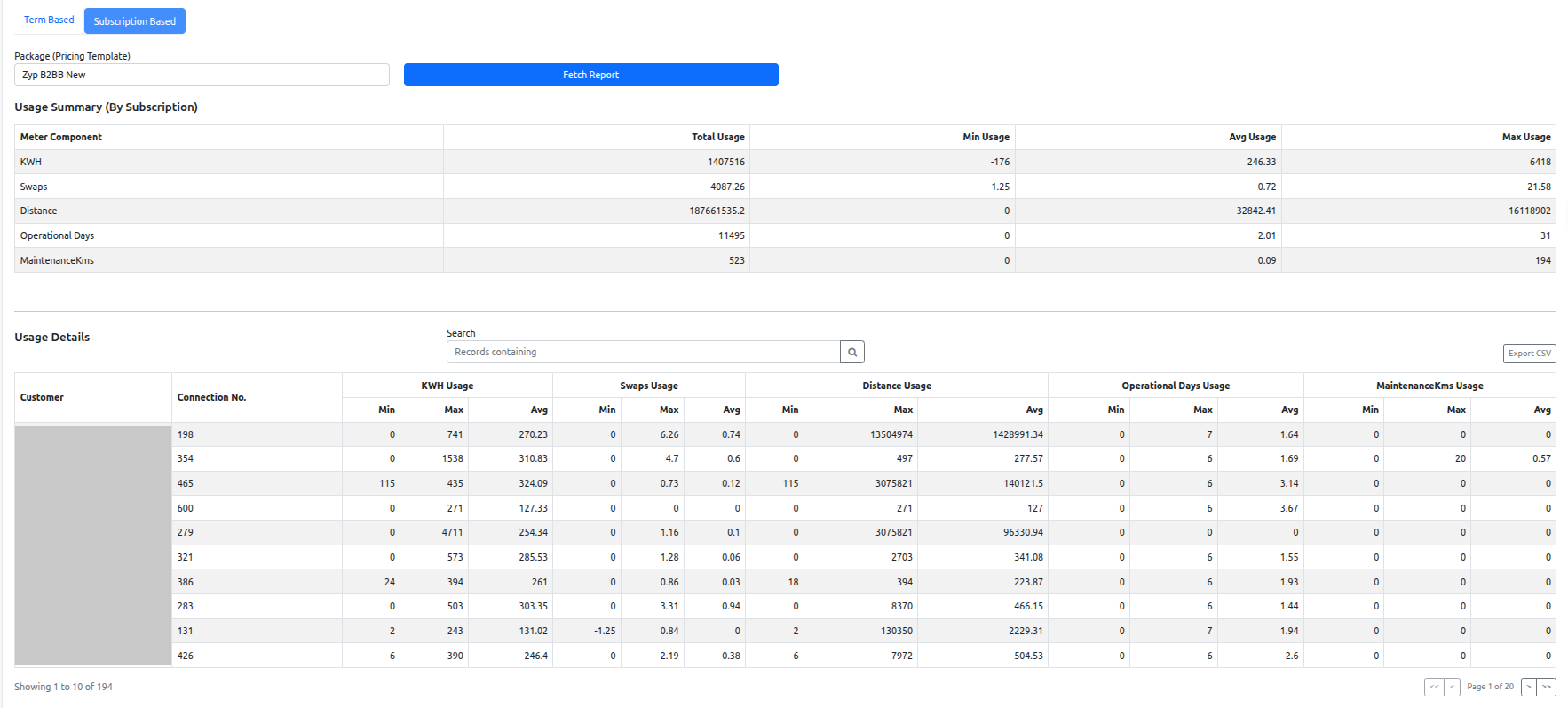
Usage Report, Subscription Based
A Search box filters records, and Export CSV downloads the full filtered result set (all pages) with the same columns.
Drilling into a single subscription
Clicking a subscription’s row opens its individual usage detail — the meters attached to that subscription (Active and Inactive, with Type, Category, and Status), plus a consumption trend chart per meter across billing periods.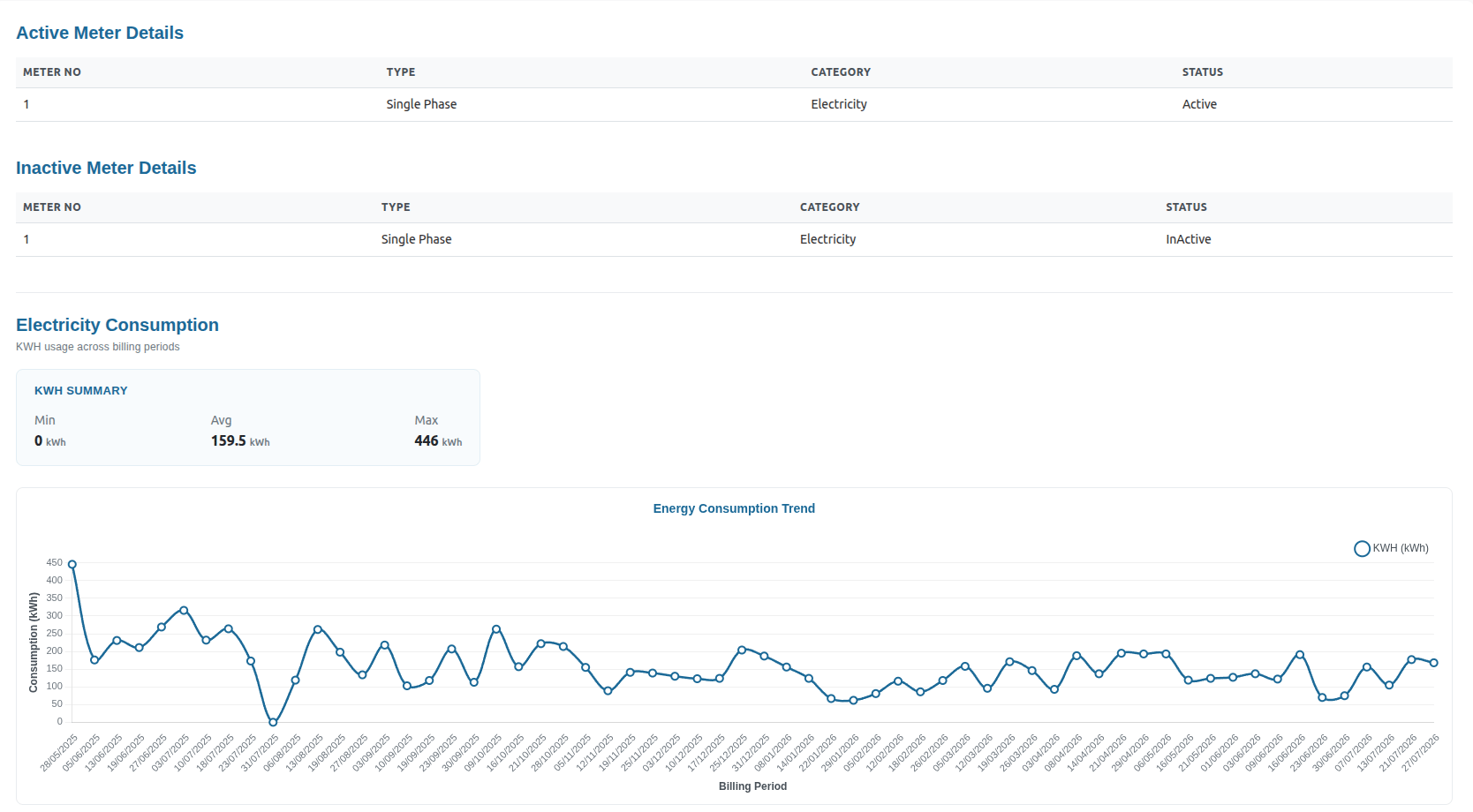
Single-subscription usage detail