> ## Documentation Index
> Fetch the complete documentation index at: https://docs.techfootintl.com/llms.txt
> Use this file to discover all available pages before exploring further.
# User Group
The User Group provides group-based access management by combining:
* Roles
* Security Attributes
It enables organizations to manage permissions and security policies at a team or department level instead of assigning access individually to every user.
## Purpose of User Groups
User Groups are designed to:
* simplify large-scale access management
* assign multiple users to shared roles
* apply shared security attributes
* centralize department-level authorization
* support hierarchical access governance
* reduce repetitive user-level configuration
## **Create User Group**
1. Click on My Account
2. Click on My Team
3. Click on the User Group tab
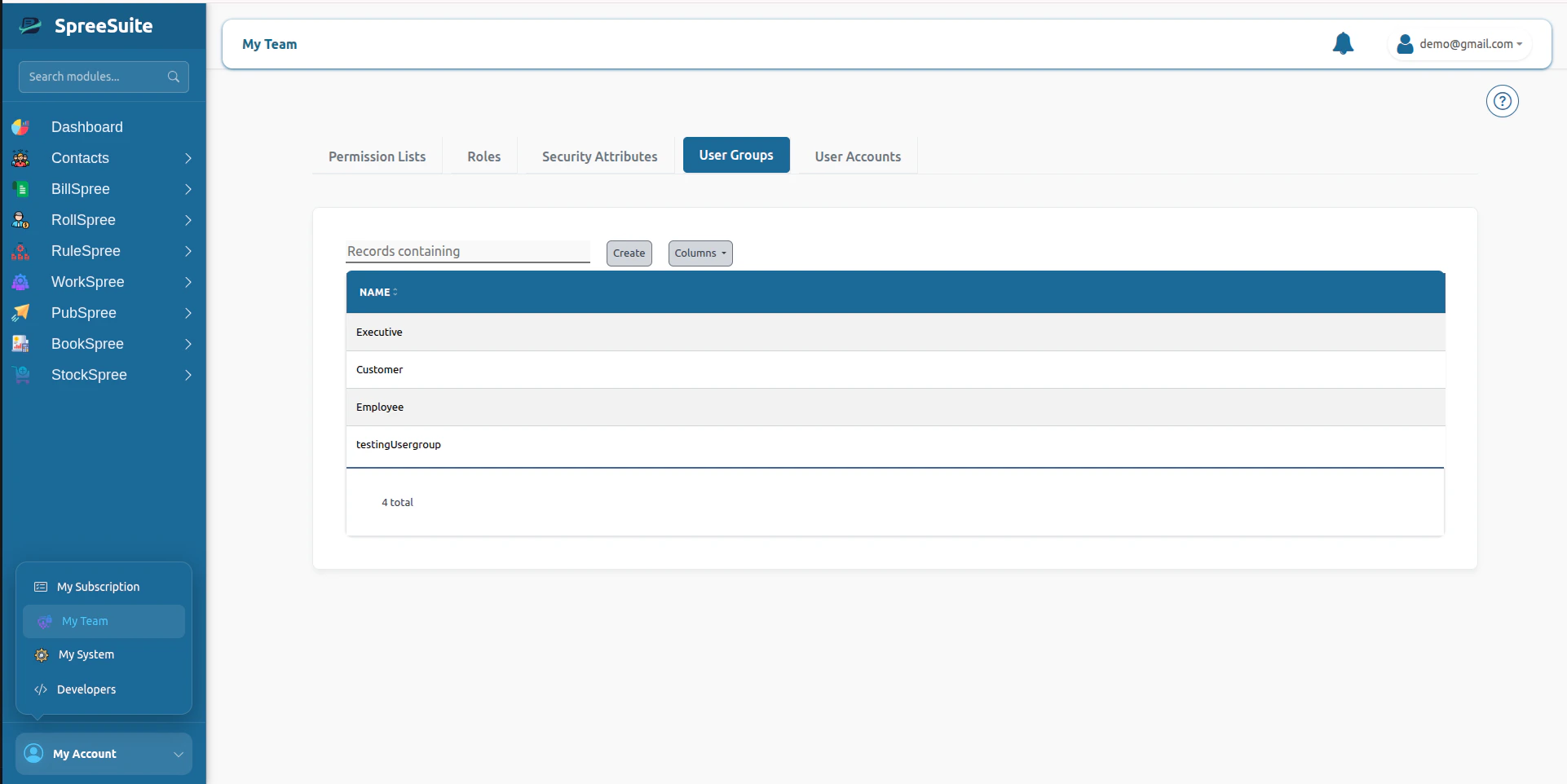 4. Click on the Create button
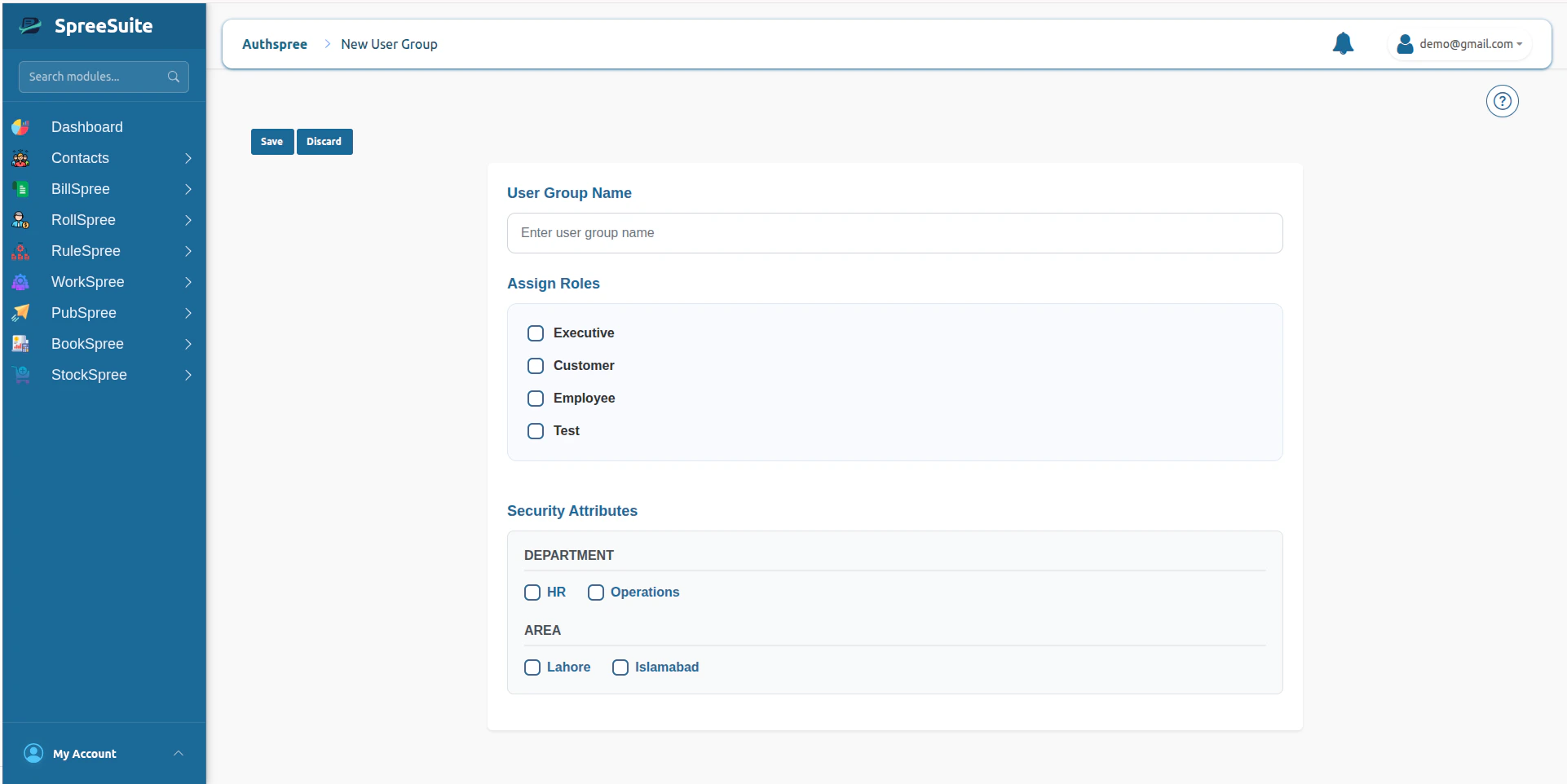
5. Add name and select Role and Attributes
6. click save button to create User GroupSummary
4. Click on the Create button
5. Add name and select Role and Attributes
6. click save button to create User GroupSummary
 ## summary:
The User Group Module centralizes enterprise access management by combining Roles, Security Attributes, and User memberships into reusable organizational access containers that drive both RBAC authorization and ABAC data visibility.
## summary:
The User Group Module centralizes enterprise access management by combining Roles, Security Attributes, and User memberships into reusable organizational access containers that drive both RBAC authorization and ABAC data visibility.