> ## Documentation Index
> Fetch the complete documentation index at: https://docs.techfootintl.com/llms.txt
> Use this file to discover all available pages before exploring further.
# Spree AI
> Ask questions about your billing data in plain language and get clear answers from BillSpree.
## Welcome to Spree AI
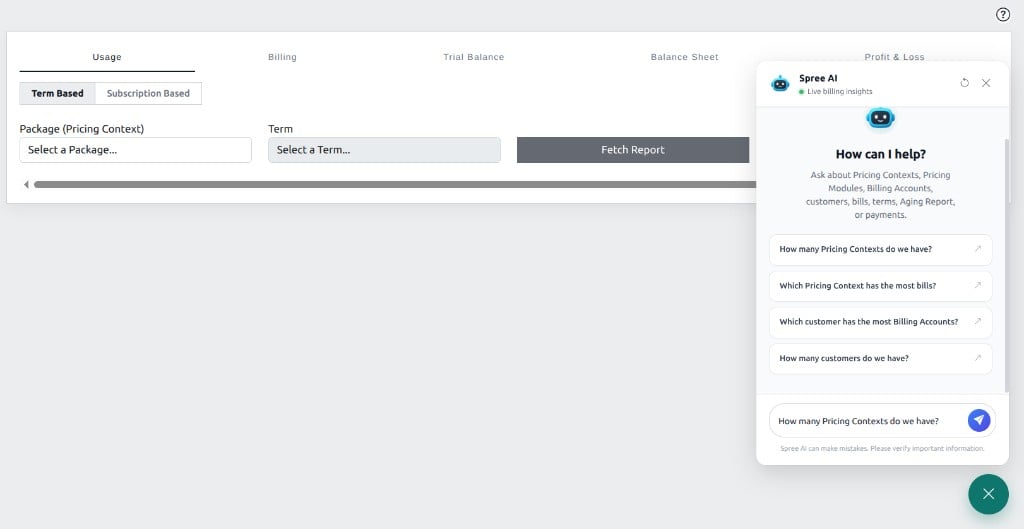
**Spree AI** is the chat assistant in SpreeSuite. Ask about customers, Pricing Contexts, Billing Accounts, bills, and related billing information — and get answers drawn from the data already in your workspace.
Spree AI helps you find and understand what is in BillSpree. Day-to-day setup, billing runs, and changes still happen in the normal BillSpree screens.
 ## Explore
What Spree AI is for, and how it fits alongside BillSpree.
API tokens, AI configuration, and asking in chat.
Example questions and tips for clear answers.
## Explore
What Spree AI is for, and how it fits alongside BillSpree.
API tokens, AI configuration, and asking in chat.
Example questions and tips for clear answers.