> ## Documentation Index
> Fetch the complete documentation index at: https://docs.techfootintl.com/llms.txt
> Use this file to discover all available pages before exploring further.
# Roles
The Roles is the core access-profile management system within the platform’s Identity and Access Management (IAM) architecture.
A Role represents a reusable authorization profile that groups one or more Permission Lists together. Users and User Groups inherit access through assigned Roles.
The module acts as the bridge between:
* Permission Definitions
* User Authorization
* Runtime API Access Control
# Position in IAM Architecture
The Roles Module sits between Permission Lists and Users.
```mermaid theme={null}
graph TD
%% Define Nodes
A["Permission Lists"]
B["Roles"]
C["Users"]
D["User Groups"]
%% Define Connections
A --> B
B --> D
D --> C
%% Styling for a clean, professional look
style A fill:#fff,stroke:#333,stroke-width:1px
style B fill:#fff,stroke:#333,stroke-width:1px
style C fill:#fff,stroke:#333,stroke-width:1px
style D fill:#fff,stroke:#333,stroke-width:1px
```
# Purpose of the Roles
The module is designed to:
* create reusable access profiles
* centralize authorization management
* simplify user provisioning
* enable scalable RBAC
* aggregate Permission Lists
* drive runtime API authorization
* support enterprise IAM governance
# Example Roles
```text theme={null}
Billing Administrator
Pricing Manager
Customer Support
Executive
Customer Portal User
Employee Portal User
```
## **Create Roles**
1. Click on My Account
2. Click on My Team
3. Click on the Roles tab
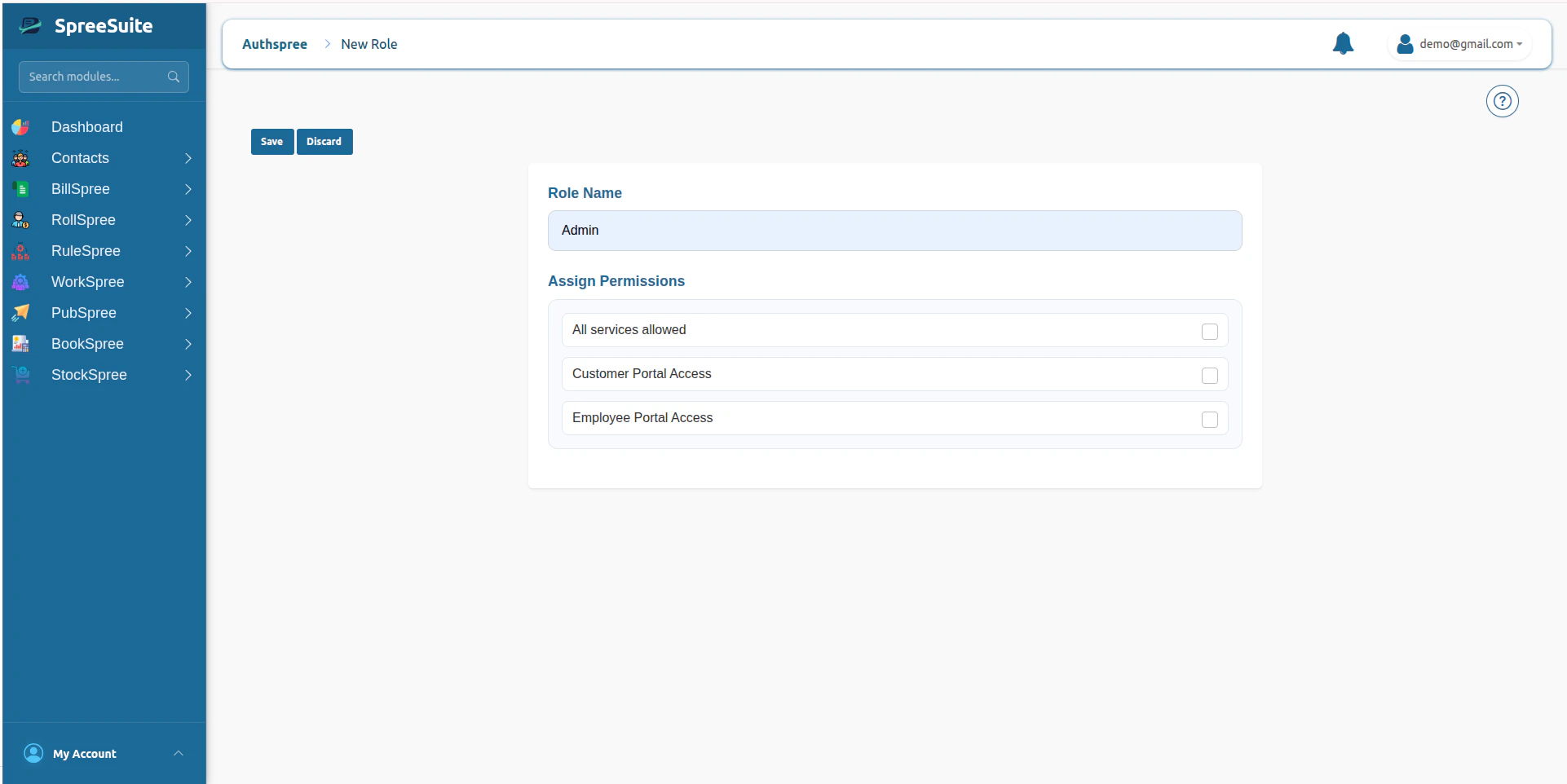
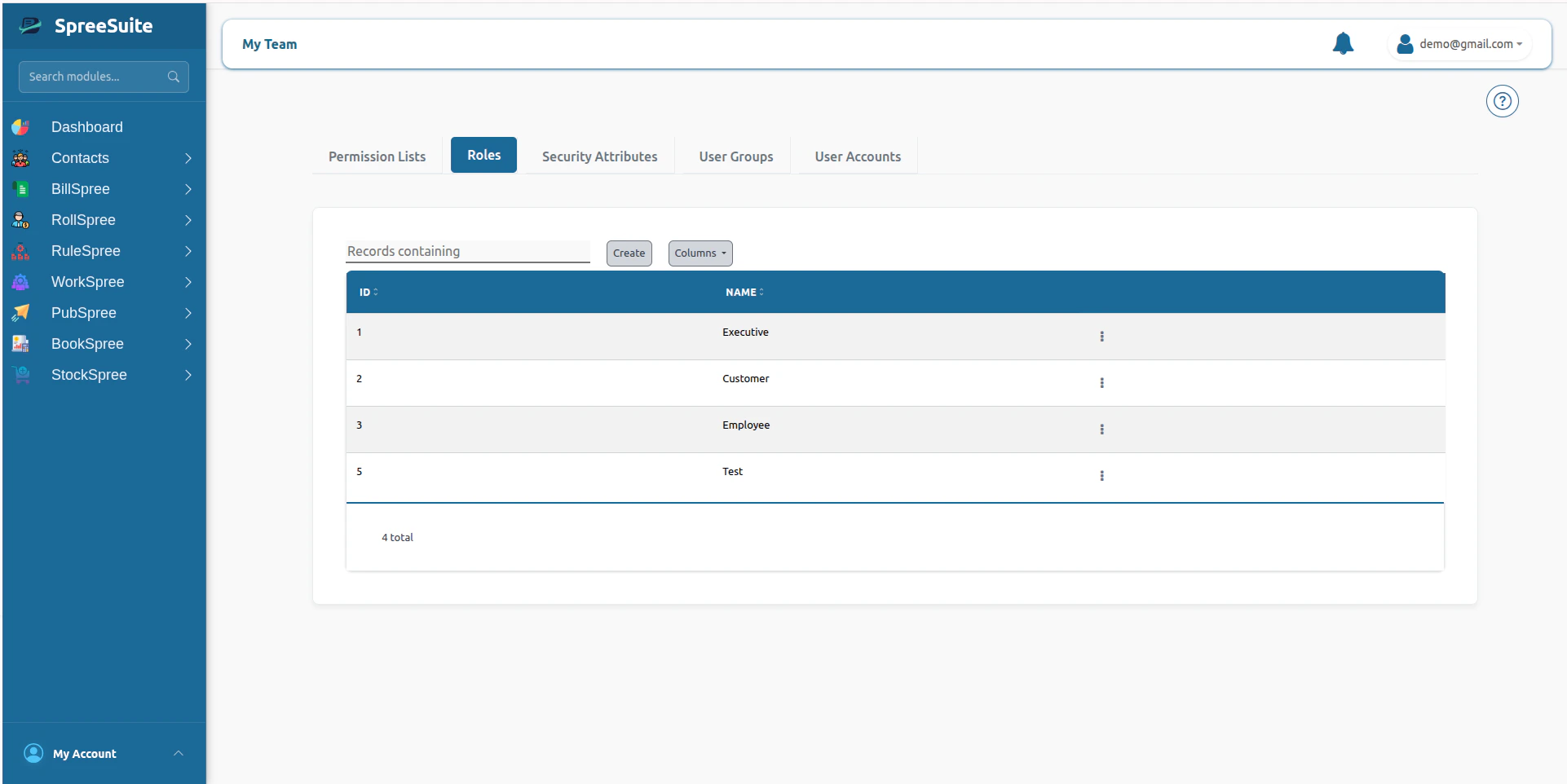 4. Click on the Create button
5. Assign Permissions
6. click save button to make new role
4. Click on the Create button
5. Assign Permissions
6. click save button to make new role
 # Summary
The Roles Module is the central access-profile management system within the platform’s IAM architecture, enabling scalable RBAC by aggregating Permission Lists into reusable authorization profiles for Users and User Groups.
# Summary
The Roles Module is the central access-profile management system within the platform’s IAM architecture, enabling scalable RBAC by aggregating Permission Lists into reusable authorization profiles for Users and User Groups.