> ## Documentation Index
> Fetch the complete documentation index at: https://docs.techfootintl.com/llms.txt
> Use this file to discover all available pages before exploring further.
# Permission Lists
sThe Permission List is the centralized authorization template system used by the platform’s Identity and Access Management (IAM) architecture.
A Permission List represents a reusable bundle of API endpoint permissions that can be attached to roles. Users inherit permissions through their assigned roles.
The module enables:
* centralized permission management
* reusable authorization templates
* scalable RBAC implementation
* endpoint-level access control
* API authorization governance
# Core Concept
A Permission List groups multiple API permissions into a reusable access template.
Instead of assigning endpoint permissions individually to users, the system follows this hierarchy:
```mermaid theme={null}
graph TD
%% Define Nodes
A["Permission List"]
B["Role"]
C["User Group"]
D["User"]
%% Define Connections
A --> B
B --> C
C --> D
%% Styling for a clean, professional look
style A fill:#fff,stroke:#333,stroke-width:1px
style B fill:#fff,stroke:#333,stroke-width:1px
style C fill:#fff,stroke:#333,stroke-width:1px
style D fill:#fff,stroke:#333,stroke-width:1px
```
# Purpose
The module is responsible for:
* create reusable permission templates
* simplify role creation
* centralize endpoint authorization
* manage API access consistently
* support scalable RBAC
* separate public and private permission models
# Example Permission Lists
```text theme={null}
Customer Portal Access
Employee Portal Access
All Services Allowed
Billing Administration
Pricing Management
```
# Example Permission Lists
```text theme={null}
Customer Portal Access
Employee Portal Access
All Services Allowed
Billing Administration
Pricing Management
```
***
## Create Permission List:
1. Click on My Account
2. Click on My Team
3. Click on the Permission lists tab
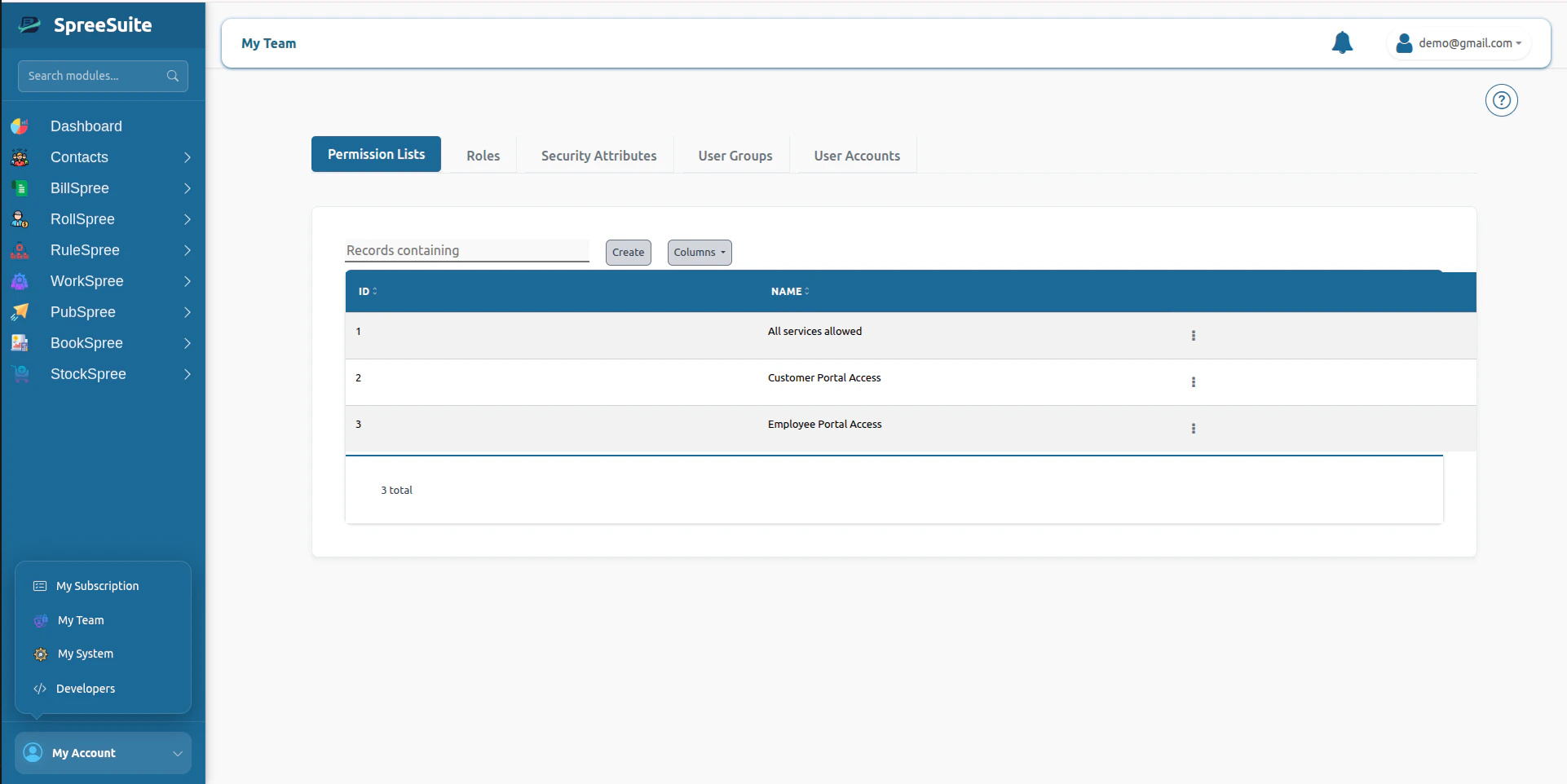 4. Click on the create button
5. Select the permission you want
4. Click on the create button
5. Select the permission you want
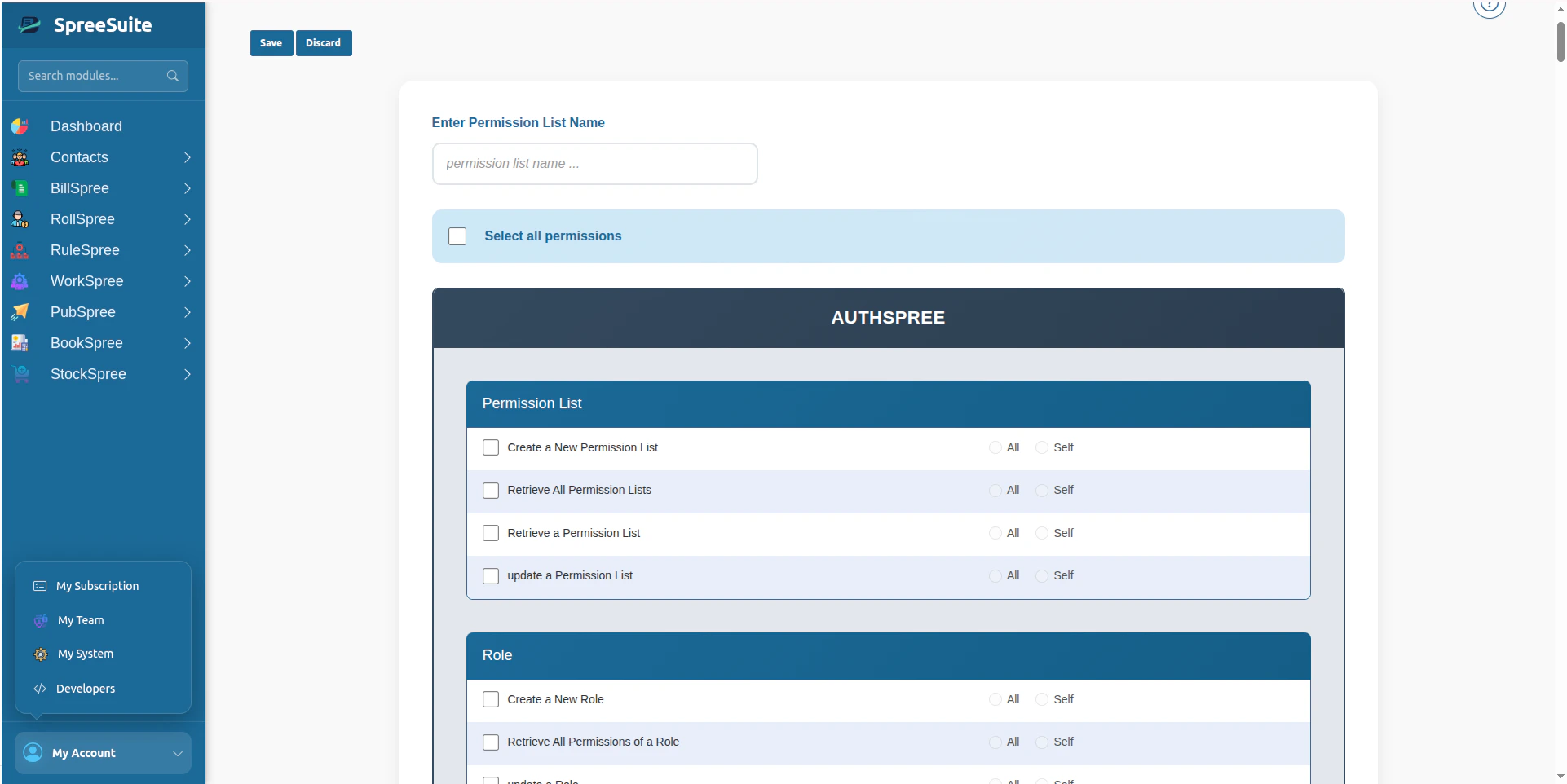 6. Enter name for list
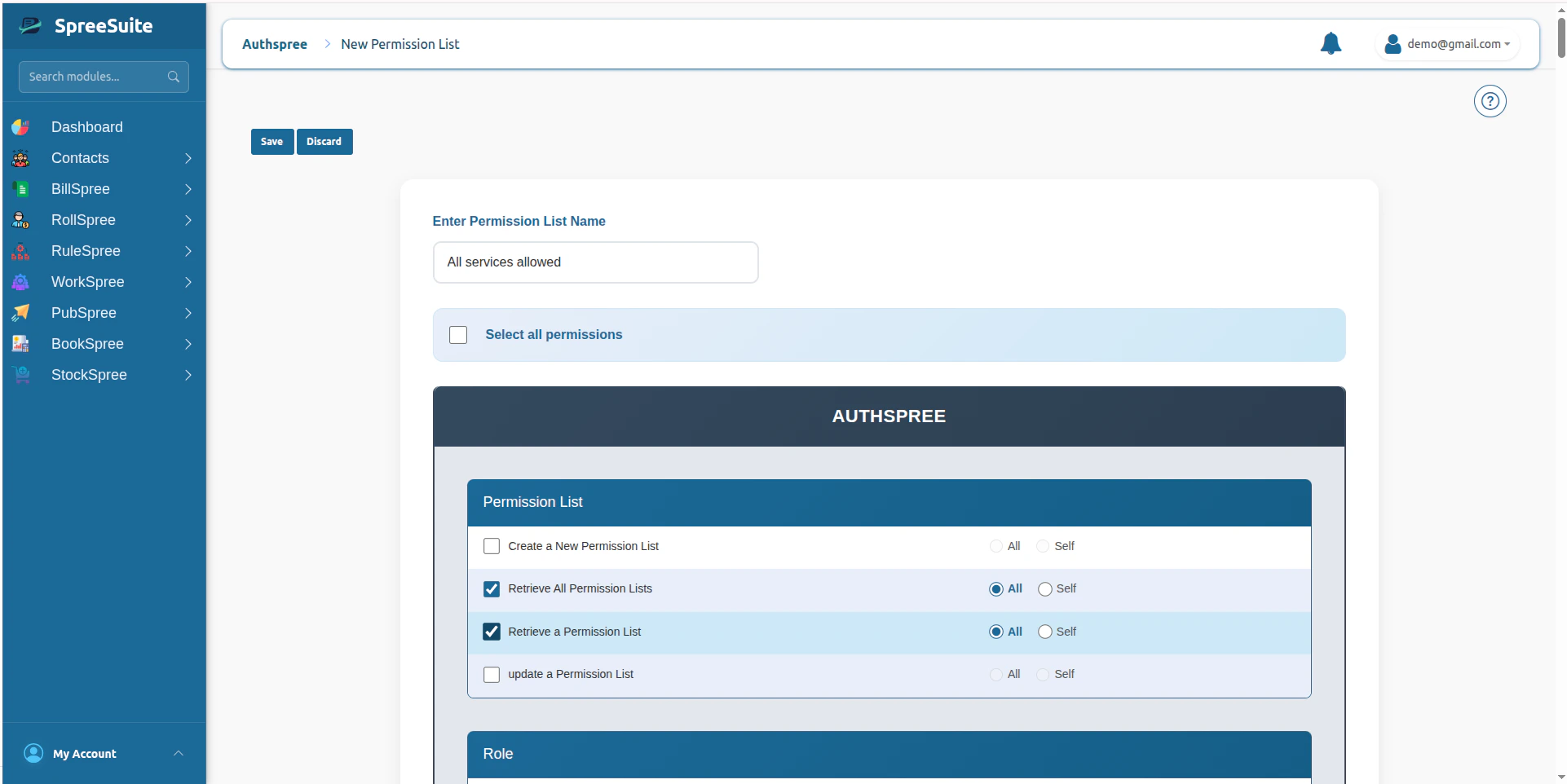 7. Click on the save button. Your permission list shows:
## Summary:
The Permission List Module is the core reusable authorization template system of the platform’s IAM architecture, enabling scalable Role-Based Access Control (RBAC) through endpoint-level permission grouping, role integration, and runtime authorization resolution.
7. Click on the save button. Your permission list shows:
## Summary:
The Permission List Module is the core reusable authorization template system of the platform’s IAM architecture, enabling scalable Role-Based Access Control (RBAC) through endpoint-level permission grouping, role integration, and runtime authorization resolution.